Integral Reader
Never lose your line again.
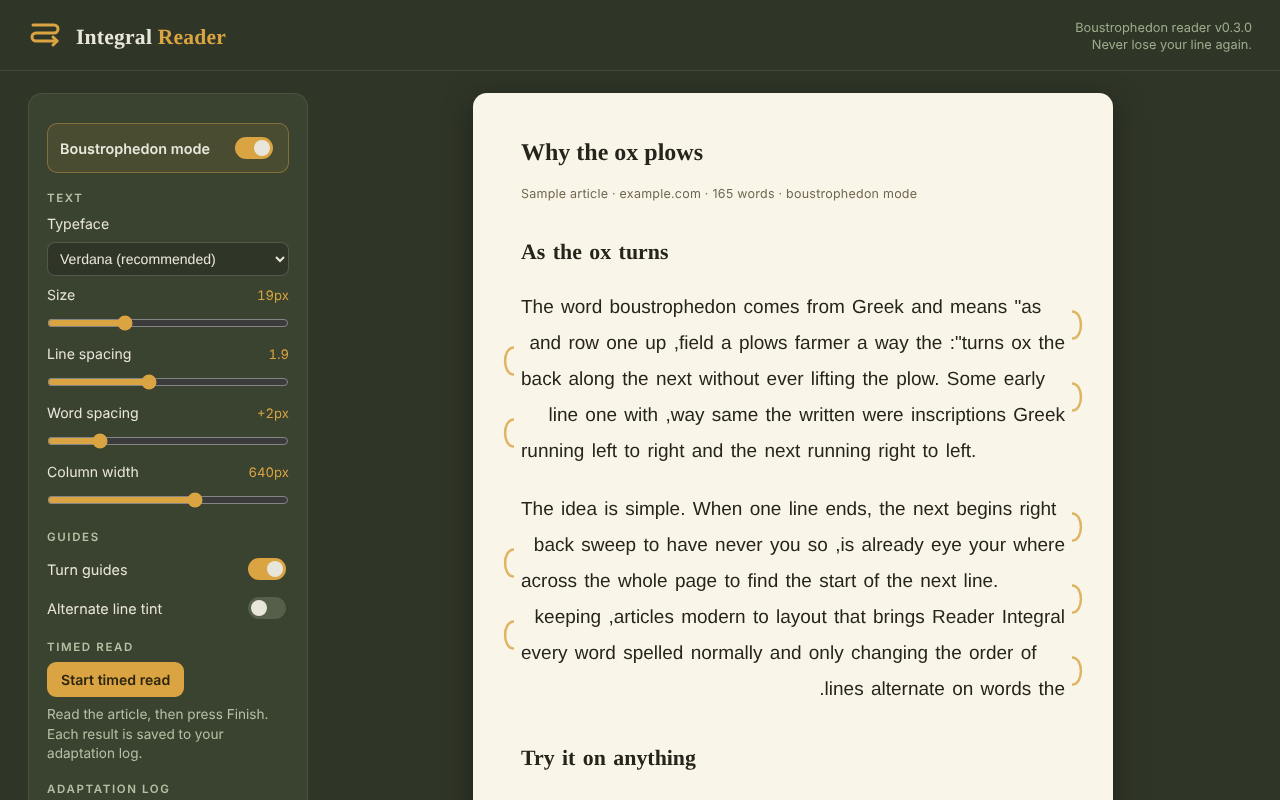
Integral Reader turns any article into a clean, distraction-free reading page, and can lay it out boustrophedon style: lines alternate direction, the way an ox plows a field. Your eye never has to sweep back across the page.
Why the ox plows
Clean reading view
One click strips ads, sidebars and clutter, leaving just the article on a calm paper page.
Boustrophedon mode
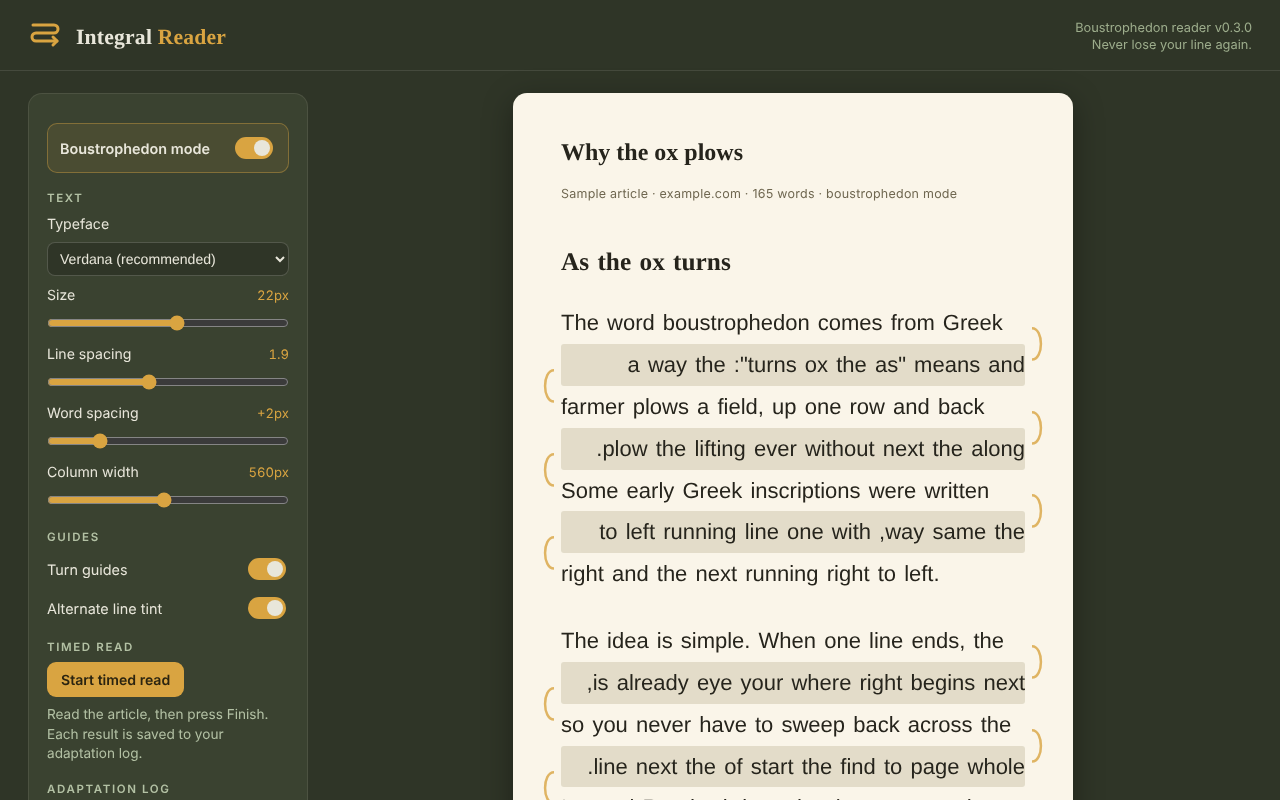
Lines alternate left-to-right and right-to-left. The end of one line sits beside the start of the next.
Turn guides & line tint
Subtle arcs mark each turn, and optional alternating tint keeps your place.
Make it yours
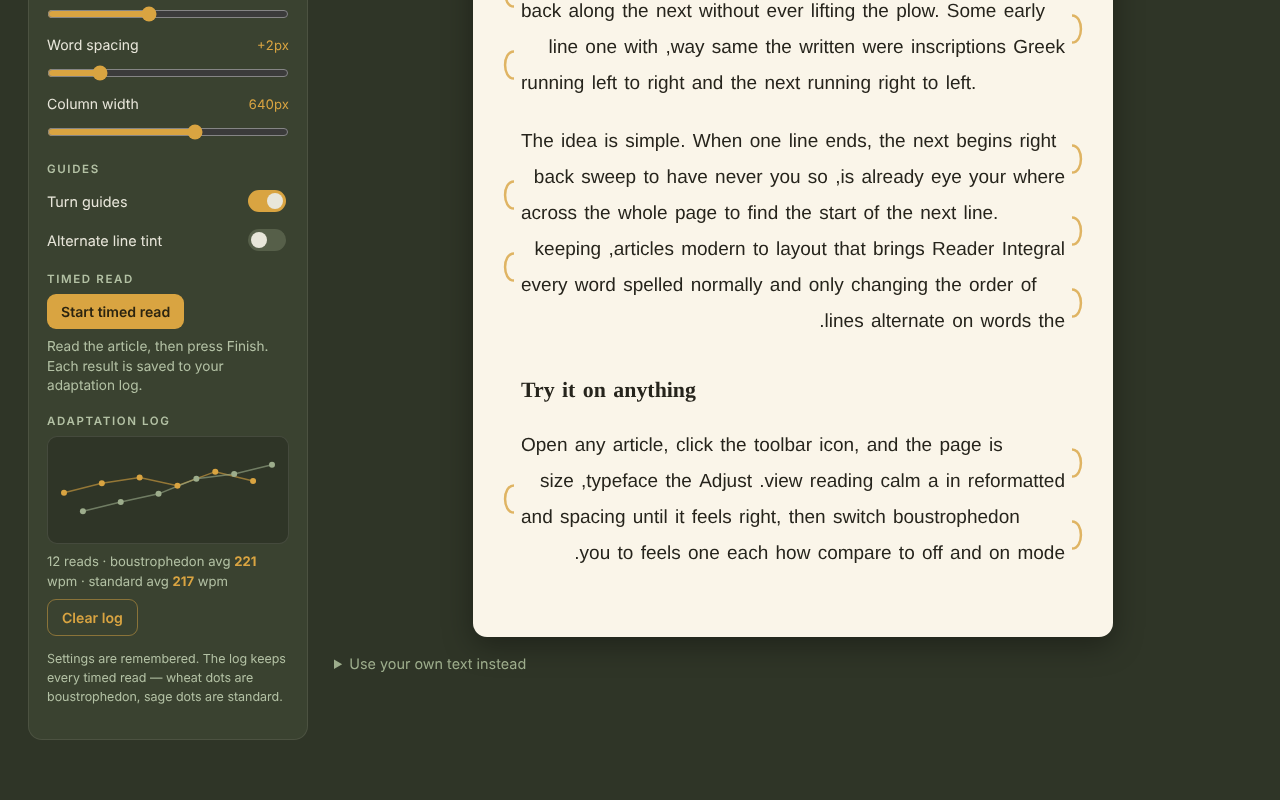
Adjust typeface, size, line spacing, word spacing and column width. Settings are remembered.
Timed reads
Measure your words per minute and compare boustrophedon against standard reading in your adaptation log.
Private by design
Everything happens in your browser. Your reading and your log stay on your device.
What is boustrophedon reading?
Boustrophedon comes from the Greek for "as the ox turns." It's an ancient way of writing where lines alternate direction: left to right, then right to left, the way an ox plows a field. Integral Reader keeps every word spelled normally and only flips the order of words on every other line, so the end of one line sits right beside the start of the next. Your eye never has to jump back across the page.
A reader mode for Chrome — and a Mercury Reader alternative
Missing Mercury Reader? Integral Reader gives you the same one-click, distraction-free reader view in Chrome, with adjustable type and spacing, and adds optional boustrophedon reading and timed reads. Everything stays private in your browser.